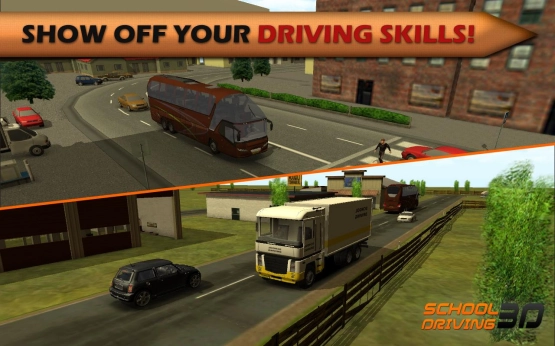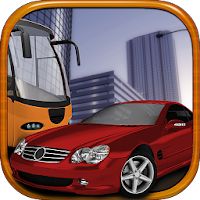
Driving tests sound boring until you’re reversing a bus into a tight parking spot with a timer ticking and pedestrians wandering into your path. School Driving 3D sets up more than 40 scenarios that actually mimic the stuff driving schools throw at you. Parallel parking, hill starts, lane changes in traffic. You’re not racing or smashing through checkpoints. You’re trying not to clip a curb while some examiner grades your every move. And failing a level because you rolled through a stop sign hits different than just restarting a race.
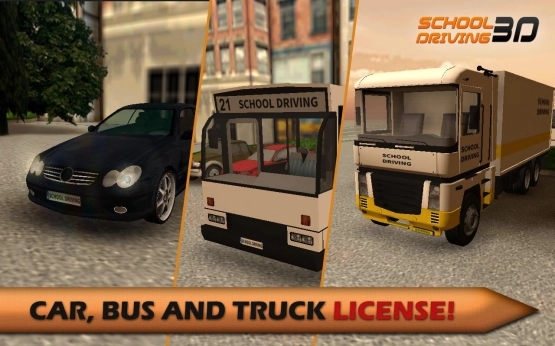
Three Licenses, Three Headaches
You bounce between car, bus, and truck licenses as you progress. Cars are twitchy, buses take forever to stop, trucks need half a city block to turn. But the license structure means you can’t just grind one category and call it done. You switch between a sedan lesson and a delivery truck challenge, which keeps things from getting stale. Free Ride mode opens up after you clear enough tests—no grading, just open roads and whatever vehicle you feel like driving.
Mod Support That Actually Changes Something
The modded version strips out the XP grind that normally gates new vehicles and harder levels. In the base version you’re replaying the same parking drills to inch your way toward unlocking a semi truck. With unlimited XP you just skip to the stuff that actually tests your skills instead of your patience. And the game also supports community mods, which is rare for a mobile driving sim. People upload new cars, maps, even custom test routes.
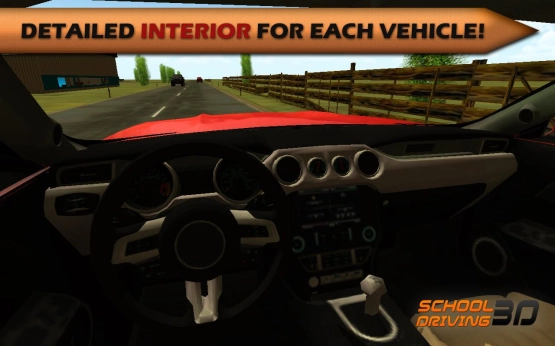
Interior Views and Damage That Sticks
Most mobile driving games give you a hood camera and call it realistic. This one modeled actual vehicle interiors with working gauges and mirrors. Switching to cockpit view makes tight maneuvers way harder because your sightlines shrink. The damage system isn’t just visual either—scrape a wall too hard and your steering starts pulling to one side. A simple lane merge turns into you fighting the wheel the entire time.
Tilt Controls That Fight You
Tilt, buttons, or a touch wheel—pick your poison. Tilt feels natural for about ten seconds, then you realize your phone keeps drifting and you’re oversteering into oncoming traffic. Buttons work better for precision stuff like reversing, but they look dorky. The touch wheel sits in the middle—responsive enough but your thumb blocks part of the screen during tight spots. But weekly updates keep adding levels, though some of them lean too hard on timer pressure. The newer airport parking challenges are brutal.